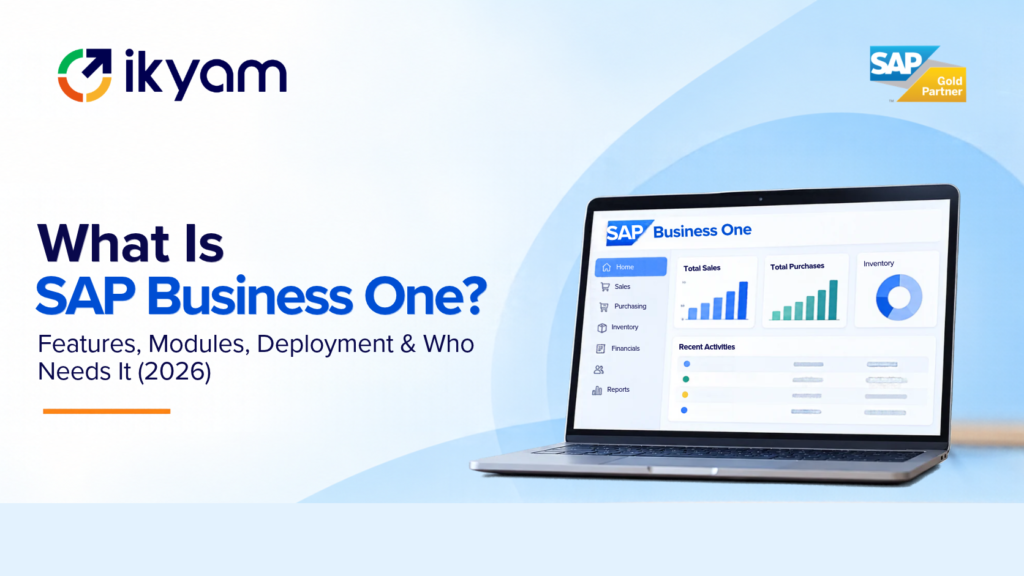
What is SAP Business One? SAP Business One (SAP B1) is an all-in-one ERP system from SAP built for small and mid-sized businesses. It brings finance, sales, purchasing, inventory, production, service and reporting into a single system, so every department works from the same real-time data instead of separate spreadsheets and disconnected tools. It runs on Microsoft SQL Server or SAP HANA, can be deployed in the cloud or on-premise, and has mobile apps for iOS and Android. According to Ikyam’s SAP Business One page, more than 70,000 businesses in 170+ countries use it.
Need help choosing or implementing it in India? Ikyam Solutions, an SAP Gold Partner since 2013, implements and supports SAP Business One for growing companies. Visit www.ikyam.com or write to info@ikyam.com.
Item | Detail |
|---|---|
What it is | An ERP (enterprise resource planning) system for small and mid-sized businesses |
Made by | SAP |
Core areas | Accounting and finance, sales and CRM, purchasing, inventory and distribution, production and MRP, projects, reporting |
Database options | Microsoft SQL Server or SAP HANA |
Deployment | Cloud or on-premise |
Mobile | iOS and Android apps |
Typical user | Growing SMEs that have outgrown spreadsheets or basic accounting software |
India fit | GST-ready localisation; e-invoicing and e-way bills handled through integrations or certified add-ons |
Reach | 70,000+ businesses in 170+ countries (as stated on Ikyam’s SAP Business One page) |
ERP stands for enterprise resource planning. In simple terms, an ERP is one system that records everything your business does: what you buy, what you make, what you hold in stock, what you sell, what you owe, and what you are owed.
Most small businesses start with a patchwork: accounting software for the books, spreadsheets for stock, WhatsApp and email for orders, and a separate tool for payroll. That works for a while. As the business grows, the cracks appear:
An ERP solves this by putting all those activities into one database. A sales order automatically reserves stock, triggers purchasing if stock is short, creates the delivery, and posts the invoice to the accounts. Nobody retypes anything, and everyone sees the same number.
SAP Business One is SAP’s answer to this problem for companies that are too complex for basic accounting software but not ready for, or not in need of, a large enterprise system.
Every module in SAP Business One writes to and reads from the same database. This is the key difference from running separate tools. When the warehouse team posts a goods receipt, finance sees the stock value and the payable at once. When sales confirms an order, purchasing and production can see the demand.
SAP Business One can run on:
You can run SAP Business One on your own servers (on-premise) or in the cloud, where a partner or hosting provider manages the infrastructure. Ikyam, for example, hosts, manages and supports either option for its customers. Cloud suits companies that do not want to manage servers; on-premise suits companies with strict data residency policies or existing data-centre capacity.
Mobile apps for iOS and Android let sales teams create orders, check stock and approve documents from the field. This matters for distributors, service companies and any business with people on the road.
SAP Business One can be extended through user-defined fields, custom workflows, add-ons and integrations. Developers connect it to e-commerce platforms, CRM, point-of-sale systems, banks and government portals using the Service Layer and DI API. This is how e-invoicing, e-way bill generation and marketplace integrations are typically handled in India.
This section gives the overview. For a detailed breakdown of each, see our guide to SAP Business One modules.
Accounting and finance. General ledger, accounts payable and receivable, banking and reconciliation, fixed assets, budgeting and project costing. In India, the localisation supports GST, so tax calculations and returns data are produced from the same transactions as the books.
Sales and CRM. Quotations, sales orders, deliveries, invoicing, opportunities, marketing campaigns and service management. Sales teams can work from mobile devices.
Purchasing. Purchase requests, orders, goods receipt, vendor invoices and payments, with approval procedures.
Inventory and distribution. Multi-warehouse stock, bin locations, goods receipt and issue, batch and serial number tracking, and stock valuation.
Production and MRP. Bills of materials, production orders and the MRP wizard, which suggests what to buy or make based on demand and stock.
Projects and resources. Project stages, sub-projects, timesheets and resource tracking, which helps engineering, construction and service businesses.
Reporting and analytics. Dashboards, ad hoc queries and visual reporting. On HANA, analysis runs in real time on live data.
Administration and control. User authorisations, approval workflows, internal controls and alerts, so the business can enforce policies in the system rather than by memo.
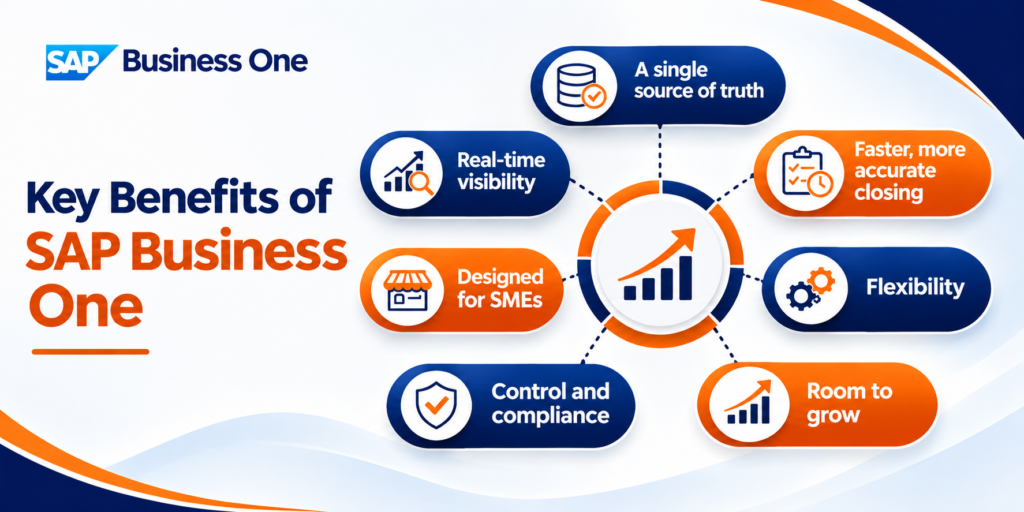
SAP Business One is typically a good fit for:
Ikyam’s SAP Business One page lists healthcare, manufacturing, education, wholesale distribution, consumer products, automotive, chemicals, life sciences, mill products, engineering, professional services and utilities among the industries it serves.
If three or more of these are true, it is probably time to evaluate an ERP:
Indian businesses need an ERP that handles local tax and reporting requirements. SAP Business One’s India localisation supports GST, and e-invoicing and e-way bills are typically handled through integrations or certified add-ons. That means tax data comes from the same transactions as your books, instead of being rebuilt in a separate tool each month.
When you evaluate a partner, ask exactly how e-invoicing, e-way bill generation, TDS and GST return data are handled in your case, which add-ons are used, who supports them, and what happens when regulations change. A partner with Indian implementation experience will answer these questions concretely.
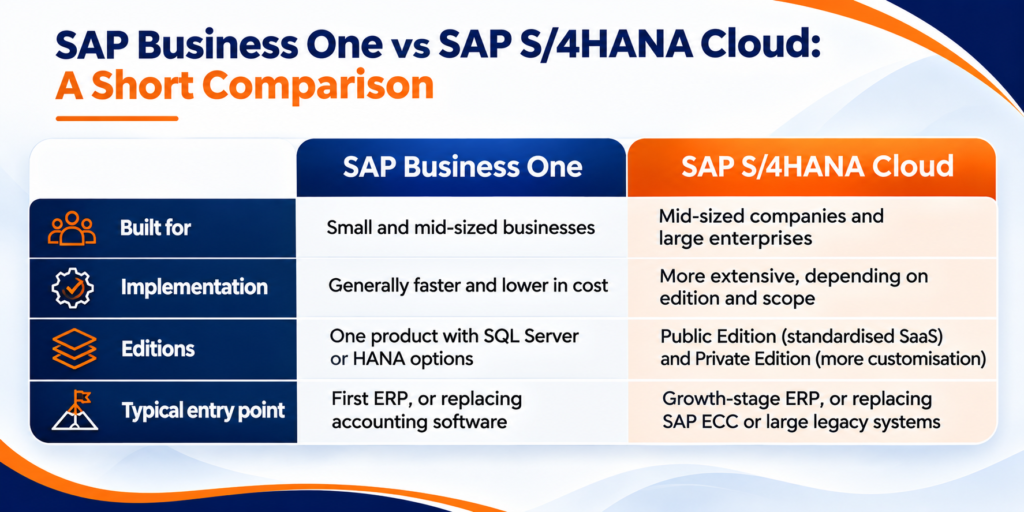
SAP Business One | SAP S/4HANA Cloud | |
Built for | Small and mid-sized businesses | Mid-sized companies and large enterprises |
Implementation | Generally faster and lower in cost | More extensive, depending on edition and scope |
Editions | One product with SQL Server or HANA options | Public Edition (standardised SaaS) and Private Edition (more customisation) |
Typical entry point | First ERP, or replacing accounting software | Growth-stage ERP, or replacing SAP ECC or large legacy systems |
Ikyam implements both products, so it can recommend the one that fits your complexity instead of the one it happens to sell. For the larger product, see Ikyam’s pages on SAP S/4HANA Cloud.
Ikyam describes a five-step approach, run under its START framework (Strategize, Transform, Adopt, Realize, Track & Tune):
Ikyam states that most small and mid-sized implementations take a few weeks to a few months, depending on the number of users, modules, integrations and the state of your data. Published estimates suggest implementations typically start from around three months. The honest answer is that scope and data quality decide the schedule, and a good partner will give you a phase-wise plan with assumptions after discovery. See our guides on ERP implementation timeline and ERP implementation phases.
Ikyam does not publish fixed prices because cost depends on your situation. The main factors are:
Published estimates vary widely and are often dated, so use them only to sense scale. Our dedicated guide, SAP Business One cost in India, explains these factors and what published estimates say, and Ikyam provides a scoped quote after reviewing your processes. Ikyam also offers a free ROI calculator on its website.
Ikyam has built EVA, an AI assistant for SAP Business One, powered by Claude AI. Users ask questions in plain English and get answers drawn from live SAP HANA data. EVA is read-only, so it does not change SAP data, and Ikyam describes four validation layers and five specialised cores: Sales Lens, Purchase Xpert, Inventory Xpert, AR Pulse and AP Pulse. For managers who want quick answers without building reports, this is a practical use of AI on top of ERP data.
Customising too much, too early. Recreating every quirk of your old process inside the new system makes it slower to build and harder to upgrade. Start with standard processes, then extend where it genuinely matters.
Underestimating data migration. Dirty customer, item and vendor data is the most common cause of delays. Clean it before go-live.
Skipping training. Technical go-live is not business go-live. People need role-based training and time to practise.
Choosing a partner on price alone. The cheapest quote often excludes scope that returns later as change requests.
Not planning for support. After go-live you need user support, enhancements and upgrades. Ask about support before you sign.
Ignoring growth. If you expect to outgrow the product, ask your partner how a future move to SAP S/4HANA Cloud would work.
Ikyam Solutions is an SAP Gold Partner founded in 2013 and headquartered in Bengaluru, with 250+ customers and a team of 200+ professionals, and offices in Bangalore, Chennai, Hyderabad, Noida and Guntur. For SAP Business One it provides:
Because Ikyam also implements SAP S/4HANA Cloud, you can start with Business One and have a clear path if you grow beyond it.
SAP Business One is an ERP system for small and mid-sized businesses. It puts accounting, sales, purchasing, inventory, production and reporting into one system so all departments see the same real-time data.
According to Ikyam's SAP Business One page, more than 70,000 businesses in 170+ countries use it. Typical users are SMEs in manufacturing, distribution, engineering, professional services, retail, healthcare and education that have outgrown spreadsheets or basic accounting software.
It can be deployed in the cloud or on-premise. Partners such as Ikyam host, manage and support either option. The right choice depends on your IT capacity, data policies and budget.
It runs on Microsoft SQL Server or SAP HANA. SAP HANA offers faster in-memory reporting, while SQL Server suits businesses with existing Microsoft infrastructure.
Yes. The India localisation supports GST. E-invoicing and e-way bills are typically handled through integrations or certified add-ons, so confirm the exact approach with your partner.
SAP Business One is built for small and mid-sized businesses with faster, lower-cost implementations. SAP S/4HANA Cloud is SAP's flagship ERP for mid-sized companies and enterprises, offered as a Public Edition (standardised SaaS) or Private Edition (more customisation).
Ikyam says most small and mid-sized implementations take a few weeks to a few months, depending on users, modules, integrations and data. Your partner should give a phase-wise plan after discovery.
Cost depends on licence types, number of users, deployment, database, implementation scope and support. There is no single price. Ikyam provides a scoped quote after reviewing your processes.
Yes. It integrates with e-commerce platforms, CRM, POS and banking systems using the Service Layer and DI API, and Ikyam delivers these integrations.
Yes. It includes bills of materials, production orders and an MRP wizard, along with inventory, purchasing and costing. Highly complex or very large manufacturers may prefer SAP S/4HANA Cloud.
Choose a partner with verified SAP partner status, live references in your industry, a documented method and strong post-go-live support. Ikyam Solutions is an SAP Gold Partner with 250+ customers and a defined START framework.
Talk to an Ikyam SAP expert. Book a free demo or request an ERP assessment, email info@ikyam.com, or call +91 78997 26639 or +91 98444 29118.
Connect with our SAP experts to discuss your business needs and explore the right solutions and services.

Shilpa NM is the Head of Marketing at Ikyam Solutions, a leading SAP and digital transformation partner helping businesses streamline operations through SAP-powered enterprise solutions. She collaborates closely with SAP consultants, implementation specialists and business leaders to create insightful content on SAP S/4HANA, SAP Business One, SAP Cloud ERP, AI-driven automation, analytics and enterprise technology trends.
SAP Business One modules explained: finance, sales and CRM, purchasing,...
Read MoreSAP Business One vs Tally compared for Indian businesses: features,...
Read MoreSAP Business One cost in India explained: licence, implementation, support...
Read MoreWhat is SAP Business One? An all-in-one ERP for growing...
Read More