Fly Your Business by Data with SAP Analytics Cloud
Good pilots read the wind before they fly. With SAP Analytics Cloud, your leaders see live numbers, plan the route ahead and get answers from Joule AI, all in one cockpit. Ikyam Solutions, an SAP Gold Partner, sets it up on your SAP data.
SAP Analytics Cloud (SAC) is SAP’s cloud software for business intelligence, enterprise planning and AI-assisted analytics in one product. Teams build live dashboards, run budgets and rolling forecasts and test what-if scenarios on the same trusted data, then act on the results without exporting everything to spreadsheets.
It connects live to SAP S/4HANA, SAP BW/4HANA and SAP HANA, and can also use data from SQL databases, OData services, Google BigQuery and files. Because it understands SAP’s business meaning, a margin, a cost centre or a profit centre means the same thing in every report and every plan.
Today SAP Analytics Cloud is the analytics and planning layer of SAP Business Data Cloud, working alongside SAP Datasphere. Companies already using it on its own can keep their system as it is, or move to the managed SAP Business Data Cloud model when it suits them.
Made bySAP SE
Part ofSAP Business Data Cloud
Runs onSAP cloud, browser and mobile app
AIJoule copilot and predictive models
Content100+ prebuilt packages (per SAP)
Ikyam’s roleDesign, build, training, support
Live dataSAP S/4HANA connected
Plan vs actual+4.2% this quarter
Joule“Show margin by region”
Try it yourself
Your Instrument Panel: Driver-Based Planning in SAP Analytics Cloud
Planning in SAP Analytics Cloud works like a cockpit: change one control and every reading that depends on it updates. Move the sliders, or pick a scenario, to watch a sample 12-month plan for an Indian financial year react.
April to September are actuals and stay fixed. October to March is the plan, recalculated from your drivers, the way a planning model in SAP Analytics Cloud does it.
Full-year revenue₹0 Cr
Gross margin0%
Gross profit₹0 Cr
ActualsPlanBaseline plan
Sample figures for illustration only. In a real project the same logic runs on your own SAP data.
Driver-based models
Revenue, cost and headcount plans are linked to the drivers behind them, so one change flows through the whole plan instead of being retyped in ten spreadsheets.
Versions and scenarios
Keep budget, latest forecast and what-if versions side by side, compare them with actuals and promote the best one to the official plan.
Workflow and approvals
A planning calendar gives each department its tasks, tracks who has submitted and routes plans to approvers, so the cycle closes on time.
Use cases
Who Flies with SAP Analytics Cloud? Use Cases by Team
Every team gets its own instruments, all reading from the same data. Here is what changes for each of them, and the questions they can finally answer in seconds.
RevenueEBITDACash flowDSO
Finance and FP&A
Close faster, budget once and forecast with confidence.
Questions SAP Analytics Cloud answers
Are we on budget this quarter?
Which cost centres are overspending?
What will cash look like in 90 days?
Typical dashboards: P&L by entity, cash forecast, cost-centre variance, receivables ageing, budget vs actual
BookingsMarginWin rateForecast
Sales and marketing
See which customers, products and regions really drive profit.
Questions SAP Analytics Cloud answers
Which region is missing its target?
Which products drive margin, not just volume?
How healthy is next quarter’s pipeline?
Typical dashboards: Sales by region and product, margin bridge, pipeline and forecast, customer profitability
Stock daysFill rateOTIFLead time
Supply chain and operations
Balance stock, service levels and working capital.
Questions SAP Analytics Cloud answers
Where is stock piling up, and where will we run out?
Which suppliers deliver late most often?
What should we produce next month?
Typical dashboards: Inventory health, supplier delivery performance, demand vs supply, production plan
HeadcountAttritionPeople costHiring
HR and workforce
Plan people costs and spot attrition early.
Questions SAP Analytics Cloud answers
Where is attrition rising?
What will headcount cost next year?
Which teams are short of capacity?
Typical dashboards: Headcount and cost, attrition, hiring funnel, workforce plan by department
Plan vs actualScenariosRiskTargets
Leadership and board
One trusted view of performance, risks and options.
Questions SAP Analytics Cloud answers
How are we doing against plan?
What happens if prices rise 5%?
Which risks need action now?
Typical dashboards: Management cockpit, plan vs actual, scenario comparison, risk overview
Key features
SAP Analytics Cloud Features at a Glance
Everything a finance, sales or operations team needs to see what is happening, decide what to do and plan what comes next, in one product instead of three.
Dashboards and stories
Charts, tables, maps and filters, with drill-down from a company total to a single document.
Enterprise planning
Budgets, rolling forecasts, allocations, versions and approval workflows.
Augmented analytics
Machine learning explains key drivers, spots outliers and forecasts time series.
Questions in plain English
Ask Joule and get an answer and a chart from governed data.
Risk simulation
SAP Analytics Cloud compass models best, worst and most likely outcomes.
Prebuilt content
More than 100 ready-made content packages from SAP for functions and industries.
Analytic applications
Guided, scripted applications for cockpits, board packs and planning screens.
Microsoft Excel add-in
Work on live SAP Analytics Cloud data in Excel; every change lands in the model.
Mobile app
Dashboards on iOS and Android phones and tablets for leaders on the move.
Security and governance
Single sign-on, roles and row-level data access, so each person sees only their data.
Which region missed its margin target last quarter?
JouleNorth missed by 2.4 points. Freight cost per order rose 18%, mostly from three carriers.
Show me the plan if freight stays this high.
JouleHere is a forecast version with current freight rates. Full-year margin drops 0.9 points.
Joule and AI
Autopilot Help: Joule and AI in SAP Analytics Cloud
SAP calls its approach agentic analytics: AI agents work through the steps from data to insight toward a goal you set. Every answer is grounded in the semantic layer of SAP Analytics Cloud, so it follows your company’s own definitions of revenue, margin and cost.
Ask in plain language. Type a question and get an answer and a chart from trusted data.
Story generation. Joule drafts a dashboard from a request, which analysts then refine.
Model creation. Joule helps create and enrich data models, a job that used to take specialists days.
Planning cycle help. Joule supports planners, from preparing data to chasing missing submissions.
Predictive forecasts. Machine learning projects revenue, demand or cost from history.
Risk simulation. Compass shows the range of likely outcomes behind a single forecast.
Joule Base, SAP’s foundational AI, is included in standard SAP cloud subscriptions according to SAP; some advanced AI features are licensed separately. Ikyam checks what your licence covers before we design AI use cases with you.
SACSAP S/4HANASAP HANA & SAP Business One on HANASAP BW/4HANASAP DatasphereSAP SuccessFactorsExcel and filesSQL and ODataGoogle BigQuery
Integration
How SAP Analytics Cloud Connects to Your Systems
SAP Analytics Cloud sits on top of the systems you already run. Some sources are read live, others are imported on a schedule. Ikyam decides per source, so reports stay fast and numbers stay right.
Live or imported
A live connection reads data where it is, ideal for SAP S/4HANA and SAP HANA. Imported data is copied on a schedule and suits planning and non-SAP sources.
SAP Business Data Cloud
For SAP and non-SAP data in one managed place, SAP Business Data Cloud combines SAP Analytics Cloud with SAP Datasphere and ready-made data products.
Security travels with the data
Single sign-on and data access rules are set once, so a sales head sees only their region in dashboards, plans and AI answers alike.
Compare
SAP Analytics Cloud vs Power BI vs Tableau vs Excel
A fair comparison for companies that run SAP. Each tool is good at different things, and many companies use more than one.
SAP Analytics Cloud
Microsoft Power BI
Tableau
Excel-based reporting
Main purpose
Business intelligence, enterprise planning and predictive in one product
Self-service BI and reporting
Visual data exploration and BI
Spreadsheets and ad hoc analysis
Budgeting and forecasting
Built in: versions, allocations, workflow and approvals
Usually needs a separate planning tool or add-on
Usually needs a separate planning tool
Manual, with version and error risk
Live link to SAP S/4HANA
Native, with SAP business meaning kept
Through connectors or data extracts
Through connectors or data extracts
Exports and copy-paste
AI assistant
Joule, with SAP business context
Microsoft Copilot
Tableau AI
Copilot in Microsoft 365
Governance and audit
Central models, roles, row-level access, audit logs
Strong for reports; plans live elsewhere
Strong for reports; plans live elsewhere
Hard to control who changed what
Best fit
SAP-centred companies that want reporting and planning together
Companies standardised on Microsoft tools
Teams focused on visual exploration of many sources
Small teams and one-off analysis
Some companies keep Power BI or Tableau for non-SAP reporting and use SAP Analytics Cloud for SAP data and planning. Ikyam helps you decide what to move, what to keep and in which order.
Packages
Choose Your Flight Plan: SAP Analytics Cloud Packages
Three clear starting points. Each has a fixed scope agreed after a short discovery, so you know what you get and when.
Launch
Dashboards on your SAP data
For companies taking the first step away from Excel reports.
KPI and data workshop
Live or imported connection to SAP S/4HANA or SAP Business One
From Pre-Flight Check to Cruise: How Ikyam Implements SAP Analytics Cloud
A clear, step-by-step approach based on SAP Activate, so you see working dashboards early and plans go live without surprises.
01Pre-flight check
Discover
We list the decisions to support, the KPIs behind them and where the data lives, and size the right licences.
02Flight plan
Design
Data models, planning structure, fiscal calendar and who-sees-what security rules, agreed with you.
03Build
Connect and build
Connections, stories, planning models, calculations and workflows in short, reviewed sprints.
04Checks
Reconcile and test
Every key number is reconciled with your ERP and books before business users sign off.
05Take-off
Train and go live
Role-based training and close support through the first reporting and planning cycle.
06Cruise
Support and improve
New reports, SAP’s regular updates and steady improvement from Ikyam’s support team.
A first set of dashboards on clean SAP data can often go live within weeks; a full planning rollout takes longer, depending on scope. You get a fixed plan with milestones after discovery.
Why Ikyam
Why Choose Ikyam as Your SAP Analytics Cloud Partner?
Analytics is only as good as the data and processes behind it. Ikyam Solutions has delivered SAP for 250+ customers since 2013, with 200+ professional experts in Bangalore (HQ), Chennai, Hyderabad, Noida, Ahmedabad and Guntur.
ERP-first analytics
We implement SAP S/4HANA and SAP Business One too, so we know where every number in your dashboard comes from.
Finance and India know-how
Plans follow the Indian financial year, GST-wise reporting and the way Indian management teams review numbers.
Business-friendly delivery
Workshops in plain language, early previews of real dashboards and training designed for each role.
Support after go-live
One partner for the ERP and the analytics on top of it, with an AMS team that keeps both running.
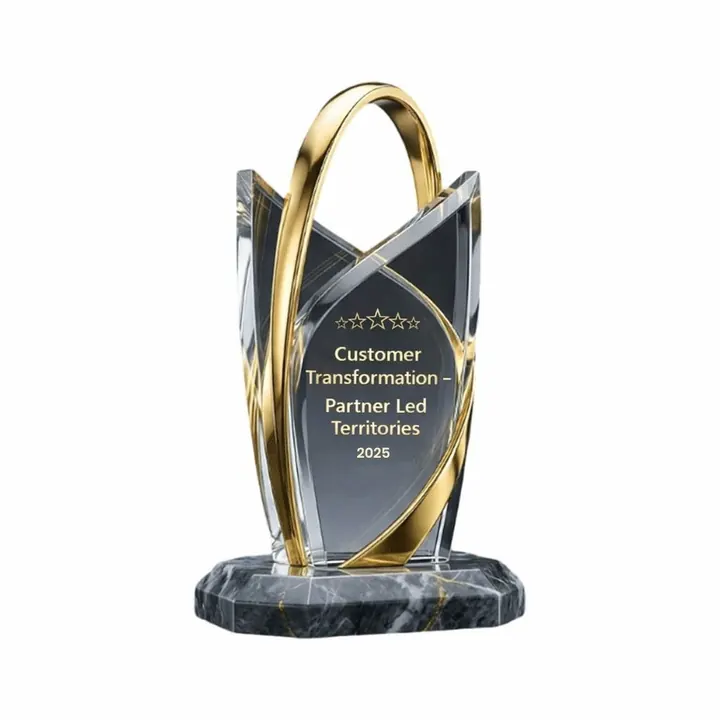
SAP GROW Partner of the Year 2024SAP Customer Transformation 2025SAP Strategic Partner of the Year 2022SAP Regional Partner of the Year 2021SAP Partner of the Year, Customer Success 2020SAP EBM of the Year 2017SAP B1 HANA EBM of the Year 2016
READY FOR WHAT'S NEXT?
Future-Proof Your Enterprise with Ikyam.
Talk to an SAP Gold Partner about SAP Analytics Cloud: dashboards on your SAP data, budgeting and forecasting, or moving from Excel, SAP BusinessObjects, SAP BPC or another BI tool.
Frequently Asked Questions
What is SAP Analytics Cloud used for?
SAP Analytics Cloud is used for three jobs in one product: business intelligence (dashboards and self-service reports), enterprise planning (budgets, forecasts and what-if scenarios) and AI-assisted analytics such as natural-language questions and predictive forecasts. Ikyam Solutions, an SAP Gold Partner, implements it for companies across India.
Is SAP Analytics Cloud a BI tool or a planning tool?
Both. SAP Analytics Cloud combines business intelligence and enterprise planning on the same data model, so the dashboard that shows actuals and the plan that sets next year's budget use the same numbers and definitions. Ikyam can start with dashboards and add planning later, or do both together.
Does SAP Analytics Cloud work with SAP S/4HANA?
Yes. SAP Analytics Cloud connects live to SAP S/4HANA, so reports read current data without copying it, and it keeps SAP's business meaning for measures such as margin, cost centre or profit centre. Ikyam designs these connections as part of SAP S/4HANA and SAP Analytics Cloud projects.
Can SAP Analytics Cloud use data from non-SAP systems?
Yes. Besides SAP sources, SAP Analytics Cloud can connect to SQL databases, OData services, Google BigQuery, flat files and many other sources, either live or through data import. Ikyam maps your sources and recommends which data to connect live and which to import.
Does SAP Analytics Cloud work with SAP Business One?
It can. Companies running SAP Business One, version for SAP HANA, can use its SAP HANA database as a data source, and data from other SAP Business One versions can be imported. Ikyam, which implements both products, sets up the right connection for your SAP Business One version.
What is the difference between SAP Analytics Cloud and SAP BusinessObjects?
SAP BusinessObjects is SAP's long-standing on-premise reporting suite, known for tools such as Web Intelligence and Crystal Reports. SAP Analytics Cloud is SAP's cloud product that adds planning, predictive features and Joule AI to dashboards and reports. Many companies run both for a while; Ikyam helps plan which reports to move and when.
How does SAP Analytics Cloud compare with Power BI and Tableau?
Power BI and Tableau are strong self-service BI tools, but budgeting and forecasting usually need a separate planning product, and SAP data usually arrives through connectors or extracts. SAP Analytics Cloud combines BI, enterprise planning and predictive analytics in one product with a live connection to SAP S/4HANA. Ikyam helps companies decide whether to use one tool or a mix.
What is SAP Business Data Cloud, and how does SAP Analytics Cloud fit in?
SAP Business Data Cloud is SAP's managed data offering that brings SAP and non-SAP data together for analytics and AI. SAP Analytics Cloud is its analytics and planning layer, working alongside SAP Datasphere. Existing standalone SAP Analytics Cloud customers can continue as they are or move to SAP Business Data Cloud later, and Ikyam can advise on the timing.
What is planning in SAP Analytics Cloud?
Planning in SAP Analytics Cloud means building budgets, rolling forecasts and what-if scenarios inside the same tool as your reports. It supports driver-based models, versions, allocations, automated calculations and a planning calendar with approvals. Ikyam builds finance, sales, workforce and operational planning models in SAP Analytics Cloud.
Can SAP Analytics Cloud replace Excel for budgeting?
For most companies, yes. Budgets move from emailed spreadsheets into one governed model with versions, approvals and an audit trail, while users can still work in a familiar grid, including the Microsoft Excel add-in for SAP Analytics Cloud. Ikyam migrates existing Excel templates into planning models and trains your finance team.
Can SAP Analytics Cloud follow the Indian financial year from April to March?
Yes. Models in SAP Analytics Cloud can be set to a fiscal year that starts in April, so reports, budgets and forecasts follow the Indian financial year. Ikyam sets fiscal periods, currencies and GST-related reporting dimensions to match how your business closes its books.
What is Joule in SAP Analytics Cloud?
Joule is SAP's AI copilot. In SAP Analytics Cloud it answers questions in plain language from governed business data and, according to SAP, supports agentic tasks such as generating stories, creating models and managing planning cycles. Ikyam helps customers check which Joule features their licence includes and where they add value.
What is agentic analytics?
Agentic analytics is an approach in which AI agents work through the steps from data to insight toward a goal that a person sets, rather than a person creating every chart by hand. SAP positions SAP Analytics Cloud as the foundation for agentic analytics in SAP Business Data Cloud. Ikyam helps companies prepare clean, well-modelled data so these agents give trustworthy answers.
Does SAP Analytics Cloud have a mobile app?
Yes. SAP offers an SAP Analytics Cloud mobile app for iOS and Android, so managers can open dashboards, filter them and get updates on a phone or tablet. Ikyam designs mobile-friendly stories as part of every SAP Analytics Cloud rollout.
How is SAP Analytics Cloud licensed?
SAP Analytics Cloud is sold as a cloud subscription, usually priced per user, with different user types for business intelligence and planning. SAP Business Data Cloud is another way to buy it. Ikyam helps you size the right mix of users and options before you sign.
How long does an SAP Analytics Cloud implementation take?
It depends on scope. A first set of dashboards on clean SAP data can go live in a few weeks, while a full planning rollout across finance and operations takes longer because models, workflows and approvals must be agreed. After a discovery workshop, Ikyam gives you a fixed plan with clear milestones.
Is SAP Analytics Cloud secure?
SAP Analytics Cloud runs in SAP-managed data centres and supports single sign-on, roles, teams, row-level data access control and audit logging, so each user sees only the data they are allowed to see. Ikyam designs the security model with your IT and audit teams.
What do SAP Analytics Cloud implementation packages include?
Ikyam offers three starting points: Launch, for management dashboards on your SAP data; Navigator, for budgeting, forecasting and FP&A planning; and Autopilot, for enterprise analytics with SAP Datasphere or SAP Business Data Cloud, cross-functional planning and Joule AI. Each package has a fixed scope agreed after a short discovery.
Can we try SAP Analytics Cloud before buying?
Yes. SAP offers a free trial of SAP Analytics Cloud on its website, and Ikyam can also run a short demo on sample data that looks like your business, so your team can see dashboards and planning in action before deciding.
Why choose Ikyam as an SAP Analytics Cloud partner in India?
Ikyam Solutions is an SAP Gold Partner that has delivered SAP for 250+ customers since 2013, with 200+ professional experts and offices in six Indian cities. Because we also implement SAP S/4HANA and SAP Business One, we understand the data behind your reports and plans, and we support you after go-live.
Talk to an SAP Analytics Cloud Expert
Tell us about your business and an Ikyam SAP Analytics Cloud consultant will get back to you within one business day.




 RevenueEBITDACash flowDSO