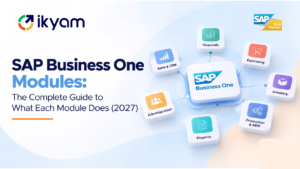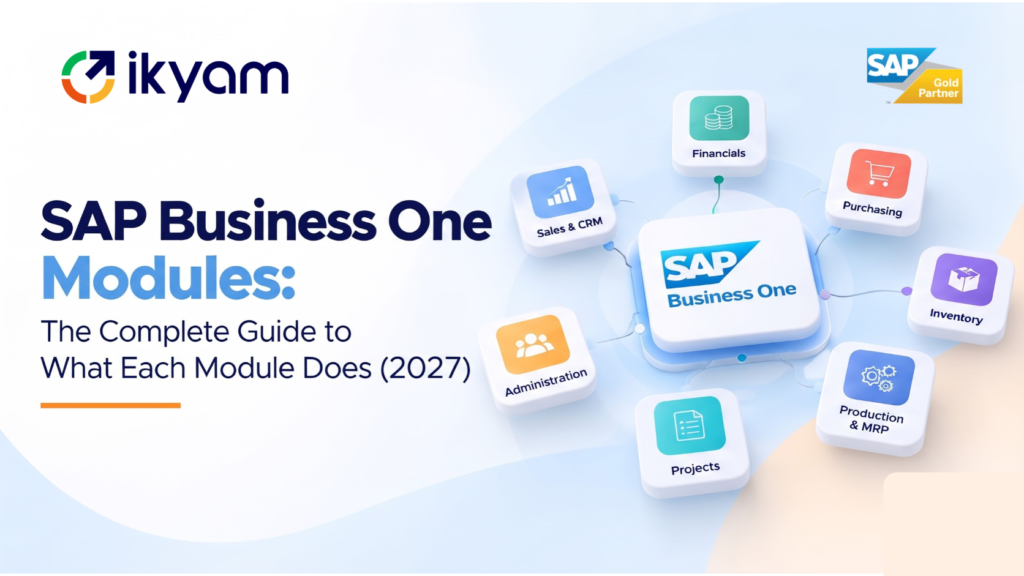
SAP Business One is organised around seven functional areas: CRM, Sales and Service; Purchasing and Operations; Inventory and Distribution; Accounting and Finance; Production and MRP; Projects and Resources; and Management and Administration. All of them run on one shared database, so a transaction in one area updates the others automatically. Reporting and analytics sit across all of them. Companies can start with the areas they need most and add others as they grow.
This guide is based on the module structure described on Ikyam’s SAP Business One page, with practical explanation of how each area is used. Ikyam Solutions, an SAP Gold Partner since 2013, implements and supports SAP Business One across India: www.ikyam.com.
Module area | What it covers | Typical users |
|---|---|---|
CRM, Sales and Service | Opportunities, quotations, orders, campaigns, service | Sales, marketing, customer service |
Purchasing and Operations | Procurement, vendor master data, accounts payable | Purchase team, finance |
Inventory and Distribution | Warehouses, bins, goods receipt and issue, batch and serial tracking | Warehouse, supply chain |
Accounting and Finance | General ledger, receivables, payables, banking, fixed assets, budgets, project costing, GST | Finance and accounts |
Production and MRP | Bills of materials, production orders, MRP wizard | Production, planning |
Projects and Resources | Project stages, sub-projects, timesheets, resources | Project managers, engineering, services |
Management and Administration | Authorisations, approvals, internal controls, alerts | Owners, IT, auditors |
Reporting and analytics | Dashboards, ad hoc reporting, visualisation | Everyone |
This area manages the customer side of the business, from the first enquiry to after-sales service.
What it does
Why it matters
Sales teams see real stock and credit information while quoting, so they stop promising what the warehouse cannot deliver. Management sees the pipeline and conversion without chasing spreadsheets.
India use cases
GST-compliant invoicing flows from the sales document. Distributors use mobile order-taking, and service businesses use the service module to manage contracts and calls.
This area controls what the business buys, from whom and at what price.
What it does
Why it matters
Purchasing sits between stock and cash. When it is integrated, the system suggests what to buy based on demand and stock, matches invoices to receipts, and shows what you owe and when. That reduces both stock-outs and over-buying.
India use cases
Input GST credit flows from vendor invoices, and import purchases can be tracked with landed cost. Approvals support internal control for owner-managed businesses that are scaling.
This area manages stock in all its locations and forms.
What it does
Why it matters
Accurate, real-time stock is the foundation of reliable delivery promises and healthy working capital. Batch and serial tracking supports traceability, recall readiness and warranty tracking.
India use cases
Distributors with several godowns, consumer products companies with batch and expiry, and engineering firms with serial-numbered equipment all depend on this area.
This is the financial backbone. Every operational transaction posts here, so books reflect reality without re-entry.
What it does
Why it matters
Month-end close becomes a review, not a reconstruction. Finance spends time analysing, not reconciling.
India use cases
GST, TDS and statutory reporting requirements. E-invoicing and e-way bills are typically handled through integrations or certified add-ons, so confirm with your partner how they are configured in your case.
For manufacturers, this area links demand to what you buy and make.
What it does
Why it matters
Production planning in spreadsheets is slow and breaks when volumes rise. MRP provides a consistent plan, and costing from BOMs links manufacturing to margin.
Complexity note
SAP Business One handles discrete and many process-style requirements for SMEs. Very complex manufacturers, such as those with extensive shop-floor integration or large multi-plant operations, may be better served by SAP S/4HANA Cloud. See ERP for manufacturing guide.
Project-driven businesses need cost and time tied to the accounts.
What it does
Why it matters
Engineering, construction, EPC and professional services companies win or lose money on project cost control. Integrating projects with purchasing, inventory and finance shows margin as the project runs, not after it ends.
Related product
Ikyam also offers TimeSheet 360, its own product for time tracking, which can complement project-based SAP deployments.
This area is about control and governance.
What it does
Why it matters
Owners and auditors want to know that policy is enforced, not just written down. This area also helps businesses separate duties as they grow.
Reports and dashboards are available across every area.
For deeper planning and analytics, companies can add SAP Analytics Cloud, which combines business intelligence, augmented analytics and planning in one cloud environment. See Ikyam’s SAP Analytics Cloud page.
Ikyam’s EVA is an AI assistant for SAP Business One, powered by Claude AI. Users ask questions in plain English and get answers from live SAP HANA data. EVA is read-only, with four validation layers, and offers five specialised cores: Sales Lens, Purchase Xpert, Inventory Xpert, AR Pulse and AP Pulse.
Industry | Start with | Add next |
|---|---|---|
Manufacturing | Inventory, purchasing, production and MRP, finance | Projects, analytics, mobile |
Wholesale distribution | Sales, purchasing, inventory (multi-warehouse), finance | CRM, mobile, e-commerce integration |
Engineering, EPC and construction | Projects and resources, purchasing, inventory, finance | Timesheets, approvals, analytics |
Professional services | Projects and resources, sales, finance | Service, timesheets, analytics |
Healthcare | Finance, purchasing, inventory (consumables and pharmacy stock), HR | Analytics, integration with clinical systems |
Education | Finance, purchasing, inventory, HR | Analytics, projects |
Consumer products and retail | Sales, inventory (batch and expiry), finance | CRM, e-commerce and POS integration |
Ikyam’s SAP Business One page lists healthcare, manufacturing, education, wholesale distribution, consumer products, automotive, chemicals, life sciences, mill products, engineering, professional services and utilities among its industries.
The value of modules is that they are connected. Follow one sale through the system:
No one retypes anything, and every department sees the same record.
Standard modules cover most SME needs. When you need more, you can extend with:
A good rule: use standard first, extend only where there is a clear business reason.
Buying everything at once. Start with the modules that solve your biggest pain and add others in phases.
Ignoring master data. Items, customers, vendors and the chart of accounts need design and cleaning for any module to work.
Over-customising. Heavy changes slow delivery and complicate upgrades.
Under-training. Each role needs training on the modules they use.
Not planning integration. List external systems early so they are in scope.
Forgetting growth. If you expect to outgrow the product, discuss a path to SAP S/4HANA Cloud with your partner.
The main areas are CRM, Sales and Service; Purchasing and Operations; Inventory and Distribution; Accounting and Finance; Production and MRP; Projects and Resources; and Management and Administration, with reporting and analytics across all.
Yes. Production and MRP covers bills of materials, production orders and an MRP wizard for planning what to buy and make.
Yes. It includes sales and opportunity management, marketing campaigns and service management, and mobile sales access.
Yes. The inventory area supports multiple warehouses, bin locations, goods receipt and issue, and batch and serial tracking.
Yes. The accounting area includes GST-ready localisation. E-invoicing and e-way bills are typically handled through integrations or certified add-ons.
Yes. It supports project stages, sub-projects, timesheets, resource master data and project cost and budget control.
Licensing is user-based, and companies usually deploy the areas they need first and add others in phases. Confirm licence types and scope with your partner.
Yes. It includes dashboards, ad hoc reporting and visualisation tools, with faster real-time analysis on SAP HANA. SAP Analytics Cloud can be added for planning and advanced analytics.
Yes. Through user-defined fields, custom workflows, add-ons and integrations using the Service Layer and DI API.
SAP Business One is designed for small and mid-sized businesses with faster, lower-cost implementations. SAP S/4HANA Cloud is SAP's flagship ERP for mid-sized and large enterprises with deeper functionality. See What is SAP S/4HANA.
Talk to an Ikyam SAP expert. Book a free demo or request an ERP assessment, email info@ikyam.com, or call +91 78997 26639 or +91 98444 29118.
Connect with our SAP experts to discuss your business needs and explore the right solutions and services.

Shilpa NM is the Head of Marketing at Ikyam Solutions, a leading SAP and digital transformation partner helping businesses streamline operations through SAP-powered enterprise solutions. She collaborates closely with SAP consultants, implementation specialists and business leaders to create insightful content on SAP S/4HANA, SAP Business One, SAP Cloud ERP, AI-driven automation, analytics and enterprise technology trends.
SAP Business One modules explained: finance, sales and CRM, purchasing,...
Read MoreSAP Business One vs Tally compared for Indian businesses: features,...
Read MoreSAP Business One cost in India explained: licence, implementation, support...
Read MoreWhat is SAP Business One? An all-in-one ERP for growing...
Read More